OncoTracer
Analyze Illumina and Oxford Nanopore (ONT) reads for copy-number changes, optional small variants, and ONT methylation research classifications. Choose samples and settings in your browser, then follow the run to its results. For research use.
Quick start
On Linux with Python 3.10–3.13 and Conda available:
pip install oncotracer
oncotracer install --conda
oncotracer doctor --backend conda
oncotracer --interactive --backend conda
Install once, then use the last command whenever you want to open setup.
Prefer Docker? Follow the Docker installation.
See installation for Python environments and hardware requirements,
or Nextflow setup to launch through main.nf.
- Choose Illumina or ONT, then Fresh or FFPE.
- Select your inputs, assign samples to Cancer or Normal, and choose a project folder.
- Click Save configuration and check, review the checks, then Run analysis.
Opening setup does not start an analysis. Keep the launching terminal open while using the browser, and use the complete URL it prints if the browser does not open.
Watch a walkthrough
| Tutorial | What you will do |
|---|---|
| QuickStart 1 — Illumina and ONT | Download a small public example and follow the video for either platform. |
| QuickStart 2 — HCC1143 | Follow a video to set up three paired-end tumor libraries together. |
| QuickStarts from the terminal | Run the same public examples from scripted commands. |
The videos use the current interface with synthetic inventories and simulated checks. Each tutorial supplies real public downloads for your own analysis.
Try the interface before installing
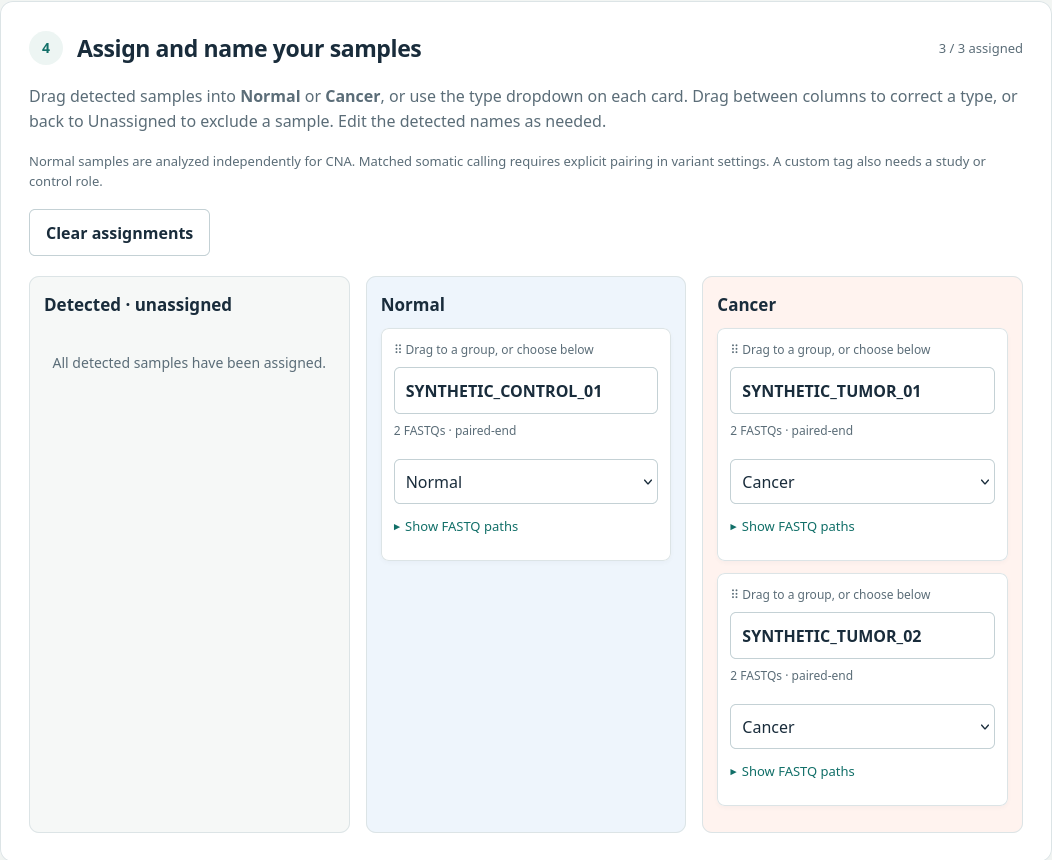
Open the interactive demo. It uses synthetic samples and simulated progress; it does not run an analysis. See the demo guide.
Work with your own data
Set up your samples or connect through SSH. Separate projects can run in separate terminals at the same time, with distinct output directories and CPU/memory budgets. Each browser session gets its own URL.
Use Stop analysis to stop a browser-started run. Closing the browser or setup terminal leaves that analysis running. See run, stop and resume for saved projects, valid-output reuse and progress, and output files for results.
Explore further
Small variants · ANNOVAR annotation · ONT methylation · LLM-assisted reports · Manuscript figures
The full public cohort provides a larger example. How OncoTracer works explains the analysis; release validation records its checks. Uninstall separates application, tool and container removal.